 |
|
|
Instructions for Obtaining the
Baton Rouge School of Court Reporting
Student Discount
At The Thomson Learning Website http://www.thomsonlearning.com/studentdirect/
To begin, go to: http://ecatalog.thomsonlearning.com/studentdirect/
| Step 1 | Step 2 | Step 3 | ||
| Perform a Product Search: | Add item to cart by clicking shopping cart: | Proceed to Checkout by clicking: | ||
| a |
 |
a |
| Step 4 | Step 5 | |
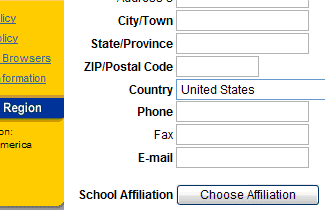
| Enter Billing Info. IMPORTANT: Be sure to click Choose Affiliation at the end of the BILLING SECTION. This will open into a Wizard where you will be prompted to answer (4) questions. | In the Affiliation Wizard, click the following options: | |
 |
a |
School Type:
State: City:
Name of School:
|
| k |
| Step 6 | Step 7 | |
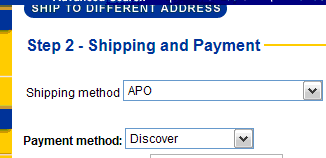
| Enter Shipping Method & Payment Information | Click Submit Order | |
 |
a | |
| Be sure to indicate a Shipping Method appropriate for your locale. |
To begin, go to: http://www.thomsonlearning.com/studentdirect/
BRSCR -- MHV, August 23, 2012